Quick Guide - Designers#
Contents#
- Accessibility - accessibility, inclusiveness, and WCAG.
- Design tools - recommended applications.
- Fonts - downloads and links to other resources.
- Logos - DNB brand logo.
- Colors (deprecated) - color library downloads and recommendations. Use Design Tokens – Colors instead.
- UI guides - startup templates with grid, fonts, colors, symbols, etc.
- Naming conventions - overview of how we name things across code and design.
- Design principles - in relation to designing digital UIs.
- Motion - visual studies of movement and feedback in DNB interfaces.
- UI Resources - set of interface design resources.
- Spatial System - spatial system used in Eufemia.
Brand guidelines#
What you should read from the brand guidelines before starting to design for DNB
Getting started#
- Open Figma.
- Make sure you are a member of the DNB UX team. If not, then contact a lead designer.
- When you click on the 'You' dropdown, you should see DNB Bank ASA as a team to choose from.
- Choose DNB Bank ASA
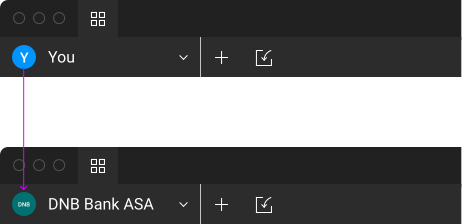
Join the DNB UX team - Create a new file.
- Add Eufemia library to your file by selecting the 'open book' icon on the top right of the Figma interface.
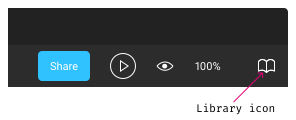
Figma's library icon - This opens a new dialog window. Choose Eufemia by toggling the switch:
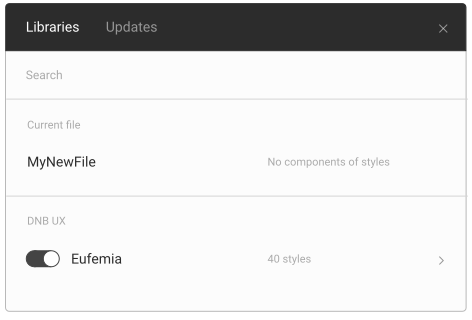
Add the Eufemia library - In preferences set your nudge amount to 8px - this will snap items to the 8px grid.
- Add a layout grid and set it to 8px:
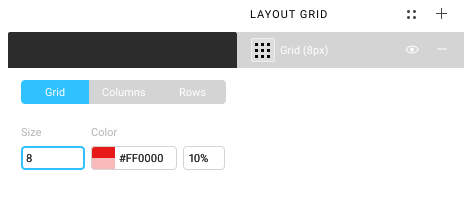
Add an 8px layout grid