Set up Eufemia Web in Figma#
Use the official Eufemia Web library in Figma so your designs share the components, typography and spacing used by developers.
Getting started#
- Open Figma.
- Make sure you are a member of the DNB UX team. If you need access, contact the Eufemia team.
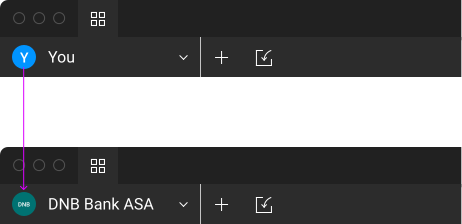
- Open the team selector.
- Choose DNB Bank ASA.
- Create a new file.
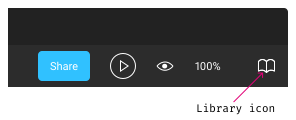
- Open the library dialog using the library icon.
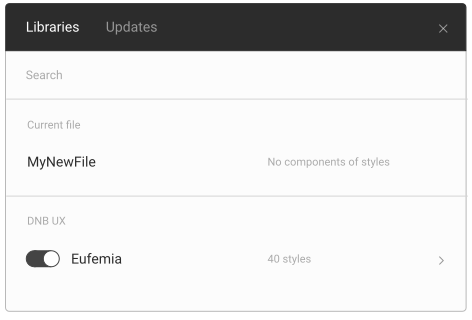
- Enable the Eufemia Web library for your file.
- Set your nudge amount to 8px in preferences.
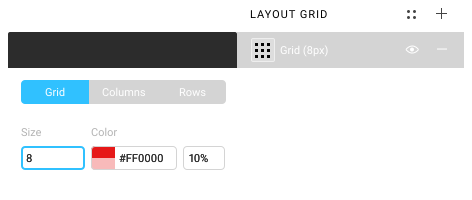
- Add a layout grid and set its size to 8px.
Brand guidelines#
Read the DNB brand guidelines before starting a design. Use the Eufemia Web library for the interface components and tokens that apply to Web applications.
Design tools#
DNB's interface design templates and guides are maintained in Figma. Working in the shared tool makes designs easier to review, maintain and hand over.
Why not Sketch?#
The shared Eufemia libraries are maintained in Figma to provide one source for interface design. Teams can choose other tools when their work requires them, but should keep design files and exports accessible to collaborators.
UI resources#
Use the official libraries so your work stays aligned with maintained design resources.
Figma files#
You may need to request view access to these resources:
Related design guidance#
- Design principles and Motion principles.
- Accessibility for Web designers.
- Web typography and Color tokens.
- Logos and Number formatting reference.
- Web layout principles and Spacing.
- Design and code vocabulary.
- Motion examples and implementation for Web.